Feature
UI inspector for live pages in Chrome
Traceo’s UI inspection workflow helps you understand how interfaces are built on the page you’re looking at, without jumping between design tools and DevTools for every question.
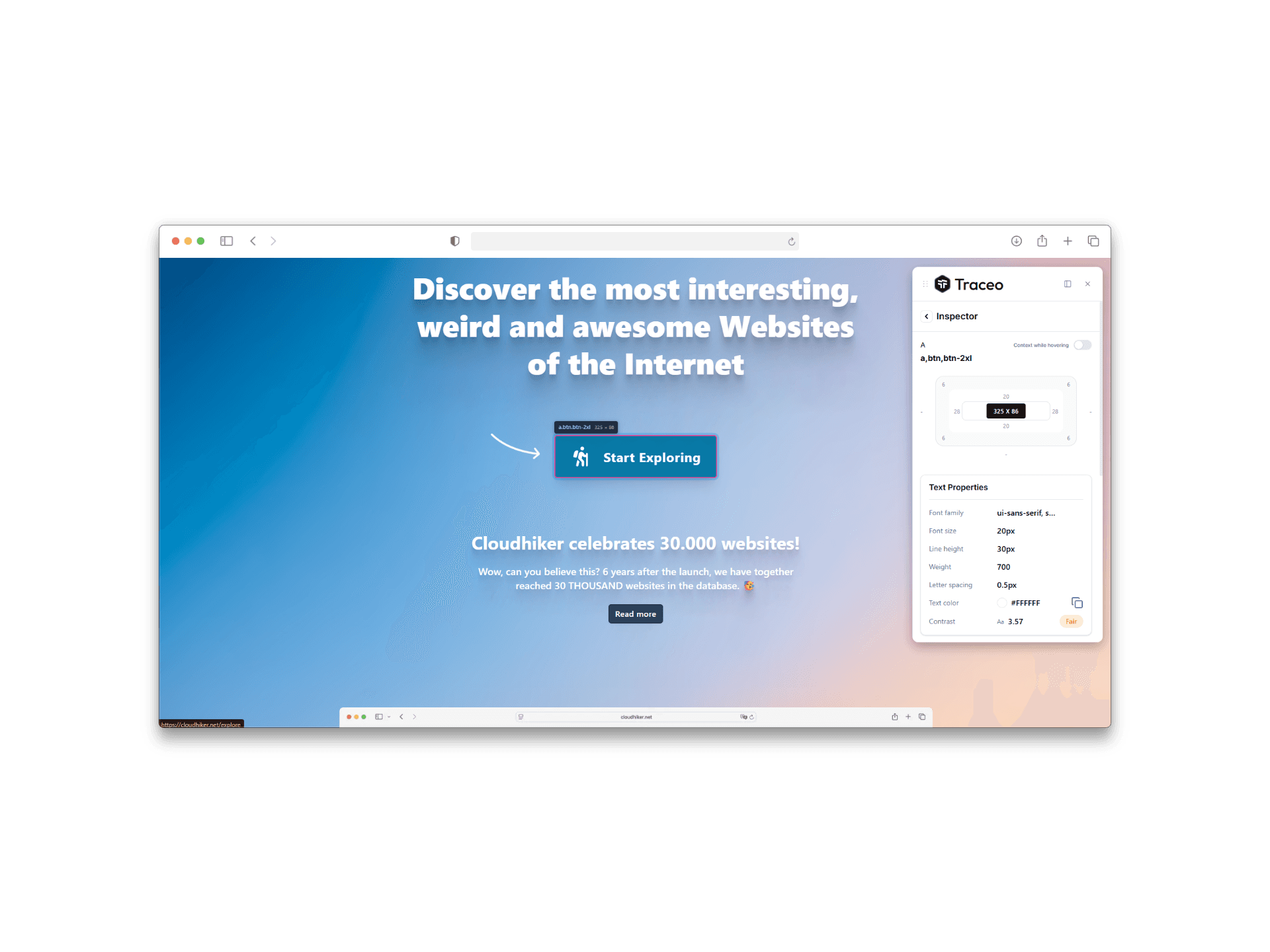
Benefits
- Review layout and styling details in the context of the real page, not a static mock.
- Keep inspection scoped to what matters for handoff: structure, spacing, and visible UI behavior.
- Move faster when validating fixes during QA and cross-browser checks.
Who it is for
- Frontend developers verifying implementation against design intent.
- Designers reviewing staging or production for visual fidelity.
- QA engineers documenting what they see with clearer shared context.
FAQ
- What is Traceo’s UI inspector?
- It lets you hover and click elements on a live page to review spacing, layout, and visual structure without opening Chrome DevTools for every check.
- Who uses the UI inspector?
- Designers, frontend developers, and QA teams use it during design QA, staging reviews, and handoff validation.
- Does UI inspection require leaving the page?
- No. Inspection runs in Chrome on the page you are already viewing, so feedback stays tied to the real UI.
Related capabilities
Use Traceo in Chrome
Install from the Chrome Web Store or join via early access.