
Share links and integrations
Share links and integrations
One link carries the video, console, network and clicks. Send it to a teammate, a channel, or your AI agent.
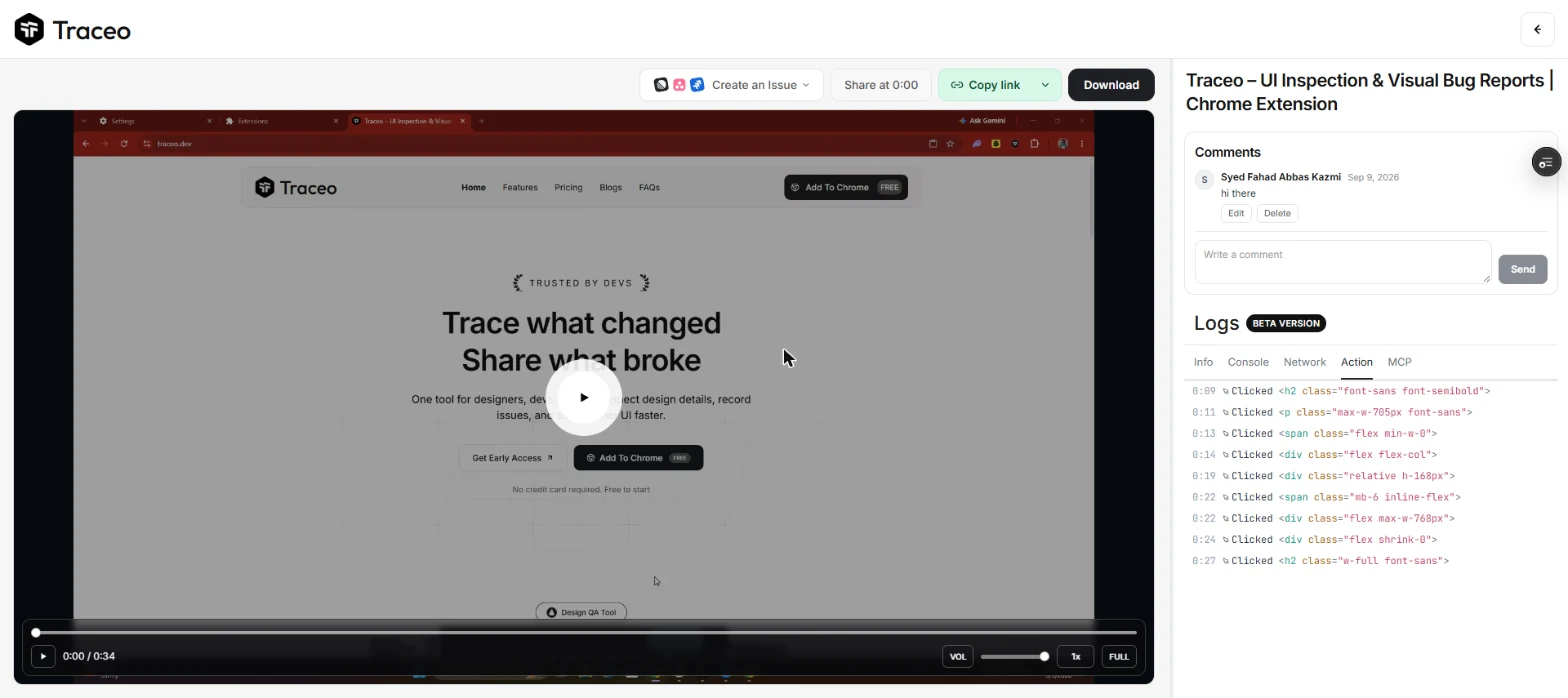
Share links
- Create the link
In the recording viewer, choose Share. Traceo uploads the recording and copies a link to your clipboard.
- Send it anywhere
Anyone with the link can watch the video and read the console, network and action logs on traceo.dev, with no install and no account.
- Point at a moment
Copy a link that starts at the current time, so the reader lands on the moment the bug happens.
| Plan | How long links work |
|---|---|
| Free | 3 days, then the recording is removed. |
| Pro and trial | Until you delete the recording. |
Your recordings library
Every recording you share is listed under Recordings in your portal. Sort and search them, group them into folders, and delete the ones you no longer need. Deleting a recording turns its link off for everyone.
Integrations
Connect Slack from your account, then send a recording with its context straight to a channel or a direct message.
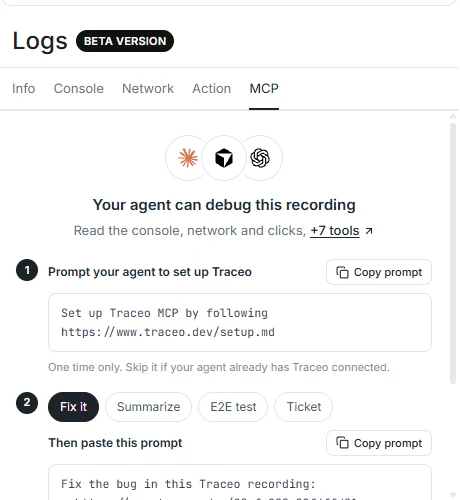
Paste a share link into Claude, Cursor or Codex. With Traceo MCP connected, the agent reads the logs itself.
Issue trackers such as Jira, Linear and GitHub work today by pasting the share link into the ticket. With an AI agent, the ticket guide writes the ticket for you.