
Hand a recording to your agent
AI agents
Hand a recording to your agent
Paste a link, say what you want, and get the cause of the bug with the evidence behind it.
Before you start
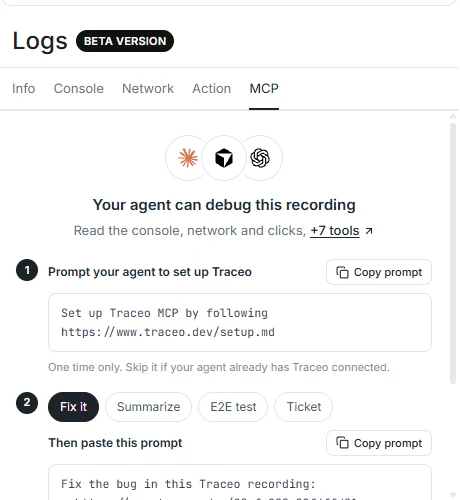
Connect Traceo to your agent once. The quickest way is to paste this into it:
prompt
Set up Traceo MCP by following https://www.traceo.dev/setup.mdOr follow the steps for your client in Traceo MCP.
Steps
- Copy the recording link
From the extension after you share, or from the recording page. It looks like
traceo.dev/82efc2…. - Ask for a fix
Paste this into your agent with your own link. The MCP tab on every recording page has it ready to copy.
promptFix the bug in this Traceo recording: - https://www.traceo.dev/82efc229a22f4ffd81 Use the console logs, network requests and user actions to find the root cause. Explain the cause in one line, then make the fix. If the traceo-fix skill is available, use it. - Approve the tool calls
The first time, your client asks to allow the Traceo tools. After that the agent keeps going.
- Check the evidence
The agent reports the cause in one line, the request or error that proves it, and the change it made.
What the agent reads
- The page, browser, OS and window size the bug happened on.
- The first errors and failed requests, with their times in the recording.
- The clicks and navigations right before the first problem.
- Comments the reporter added when sharing.
Not sure what is in a recording yet? Ask for a summary first:
prompt
Summarize this Traceo recording:
- https://www.traceo.dev/82efc229a22f4ffd81

Say what the user did, what went wrong, and where, in a few short lines.
List the errors and failed requests with their timestamps.

If the traceo-summarize skill is available, use it.
Tips
- Keep the repository open in the agent, so it can go from the failing endpoint to the line of code.
- Record with console and network capture on. Without them the agent only has the clicks.
- Say what you expected in the share description. It is the agent's best clue to intent.